
Crawled – currently not indexed is one of the most frustrating issues in Google Search Console.
But here is the truth most people miss.
👉 It does NOT always mean your content is bad.
👉 And trying to “fix it” too early can actually delay indexing.
In this guide, you will learn:
- What this status actually means
- Why it happens
- When you should NOT take action
- A proper diagnosis framework
- How to fix it the right way
Table of Contents
Why Crawled – Currently Not Indexed Happens
This is where most blogs oversimplify. There is not just one reason.
1. Processing Delay (Very Common)
Google is still:
- Rendering the page
- Evaluating quality
- Running second wave indexing
⏳ This can take:
- A few minutes
- Several days
- Even weeks
👉 No action needed yet.
2. Quality Threshold Not Met
Google does not think your page is strong enough compared to others.
This can be due to:
- Thin content
- Same intent as other pages
- Weak internal linking
3. Technical Issues
Not always content related.
Common causes:
- JavaScript rendering issues
- Slow page load
- Crawl budget limitations
- Soft 404 signals
4. Page Was Indexed Then Removed
Sometimes:
- Page was indexed
- Then Google removed it
This can happen due to:
- Low engagement
- Better competing pages
- Site-wide quality signals
When You Should NOT Fix It (Critical Insight)
This is where most people make mistakes.
Do NOT take action if:
- Page was published recently (within 7–14 days)
- Google is still processing it
- It was indexed before and just fluctuating
👉 Why?
Because:
Updating content too early resets the processing cycle.
Result:
❌ Slower indexing
❌ More delays
👉 Sometimes the best action is patience. It depends on the situation.
How to Diagnose the Problem (Step-by-Step)
Before fixing anything, follow this framework.
Step 1: Check if the page was ever indexed
Use “site:yoururl.com/page” (without quotes)
- If yes → possible deindexing issue
- If no → continue
Step 2: Check publish/update date
- New page → wait
- Old page → investigate deeper
Step 3: Check content uniqueness
Ask:
- Does this page add new value?
- Or is it similar to other pages?
Step 4: Check Technical health
- Page speed
- JavaScript rendering
- Mobile usability
Also read: Fix GSC Invalid Sitemap URL Detected
Step 5: Check internal linking
- Is this page linked from other pages/blogs?
- Or is it isolated/orphan?
How to Fix Crawled – Currently Not Indexed?
Now only take action if needed.
1. Improve Internal Linking
- Link from relevant pages
- Use descriptive anchor text
- Avoid orphan pages
👉 This helps Google understand importance
2. Strengthen Content (Only If Needed)
Do NOT just add words.
Improve:
- Depth
- Clarity
- Structure
- Unique insights like Stats or Facts
👉 Focus on usefulness, not length
3. Fix Technical Issues
Check:
- Rendering issues
- Server response time
- Mobile performance
4. Submit URL for Indexing
Use Search Console:
- Inspect URL
- Click “Request Indexing”
👉 Use this strategically, not repeatedly
5. Optimize Crawl Signals
- Submit sitemap
- Reduce duplicate pages
- Improve site structure
False Fixes That Do NOT Work
Avoid these common mistakes:
❌ Updating content immediately after publishing
❌ Requesting indexing again and again
❌ Stuffing keywords
❌ Making random changes without diagnosis or strategy
👉 These can slow down indexing instead of helping
What is a False Positive in Search Console?
Sometimes Search Console shows:
“Not indexed”
But the page is actually indexed.
How to verify:
Search:
site:yoururl.com/page
If it appears → it is indexed
👉 This is just a reporting delay
Remember:
Search Console data is NOT real-time
How Long Does Indexing Take?
There is no fixed timeline.
Typically:
- Fast sites → few hours to days
- Average → 1 to 2 weeks
- Competitive niches → longer
👉 Even high-quality pages can take time but there is no one answer.
Final Thoughts
Crawled – currently not indexed is not always a problem or end of the world.
Sometimes:
- It is just processing
- it is quality
- it is technical
👉 The key is NOT to panic.
Instead:
- Diagnose properly
- Act only when needed
- Be patient always
How to Test a Live URL for False Positive in GSC:
Follow the below steps to test a Live URL for False Positive in GSC:
- Enter the URL of your page to inspect in Search Console
- For instance, take the example of this blog: https://seo-bulletin.com/seo/discovered-crawled-currently-not-indexed-in-gsc-fixed/

- Next, using site:https://seo-bulletin.com/seo/discovered-crawled-currently-not-indexed-in-gsc-fixed/
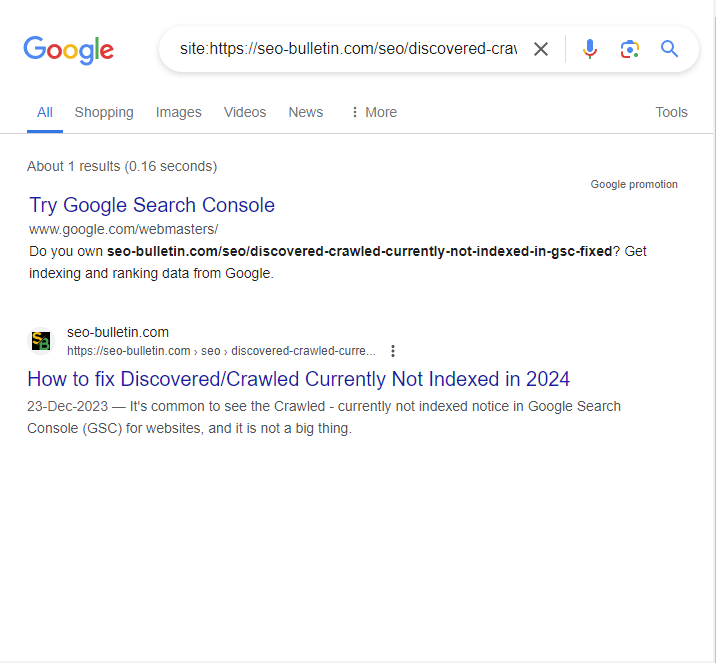
Even if Google Search Console indicates that your blog is not indexed, itcan be indexed, if it is still indexed if it shows up in the search results. We refer to this as a false positive. Why? Because Search Console is saying it CAN BE INDEXED. In English, “it can be indexed” and is indexed have different meaning.
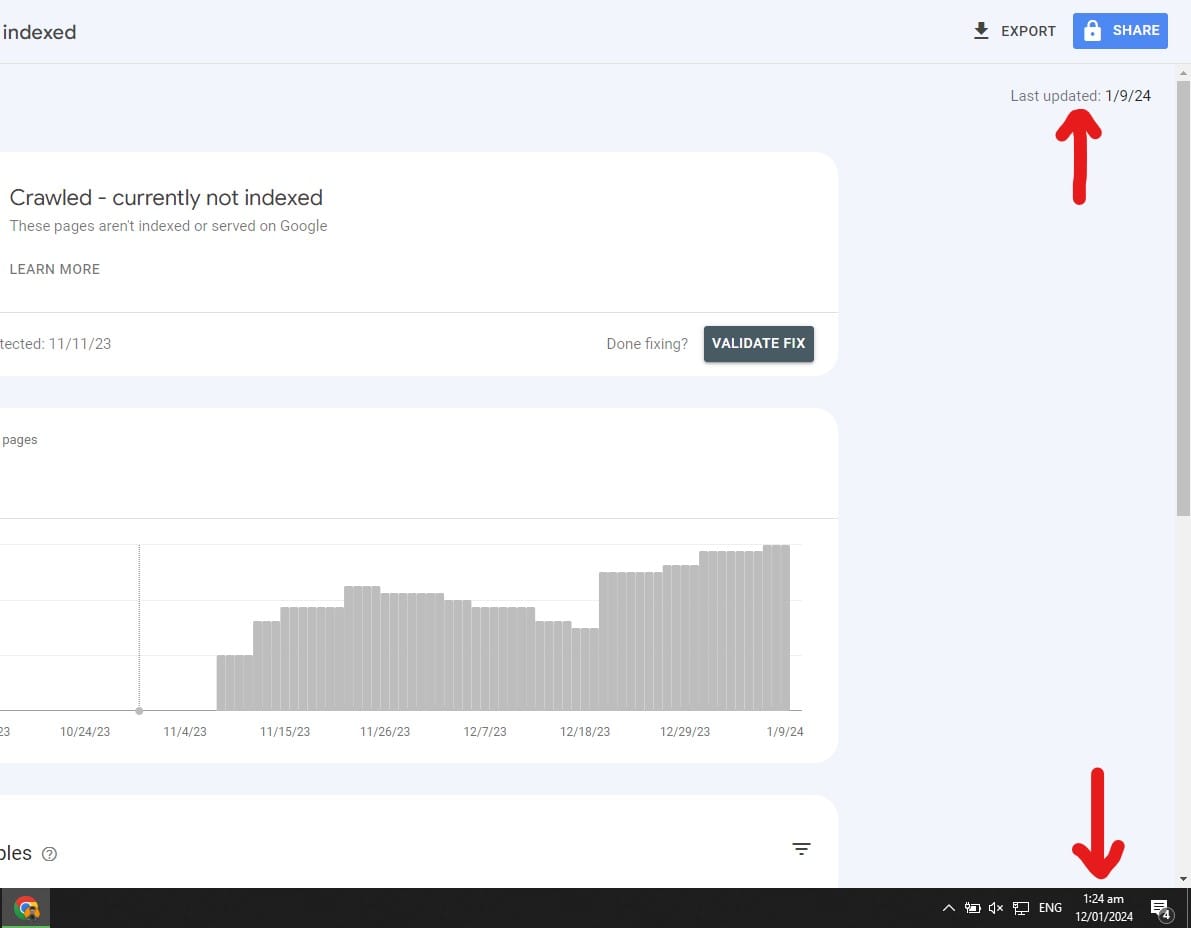
In this case, there is nothing you need to do because this is merely a GSC reporting delay and you can verify this by matching the current date and the date the data is showing on as seen in the image below:
What we mean is google search console is not a Real-time data like Google Analytics 4, it takes some days to show data but is always behind time.

This is Muhammad Asad. I like to play table tennis and love Digital Marketing and SEO. I have 7+ years of SEO experience. I would love to chat, discuss or break down any SEO or website problem.